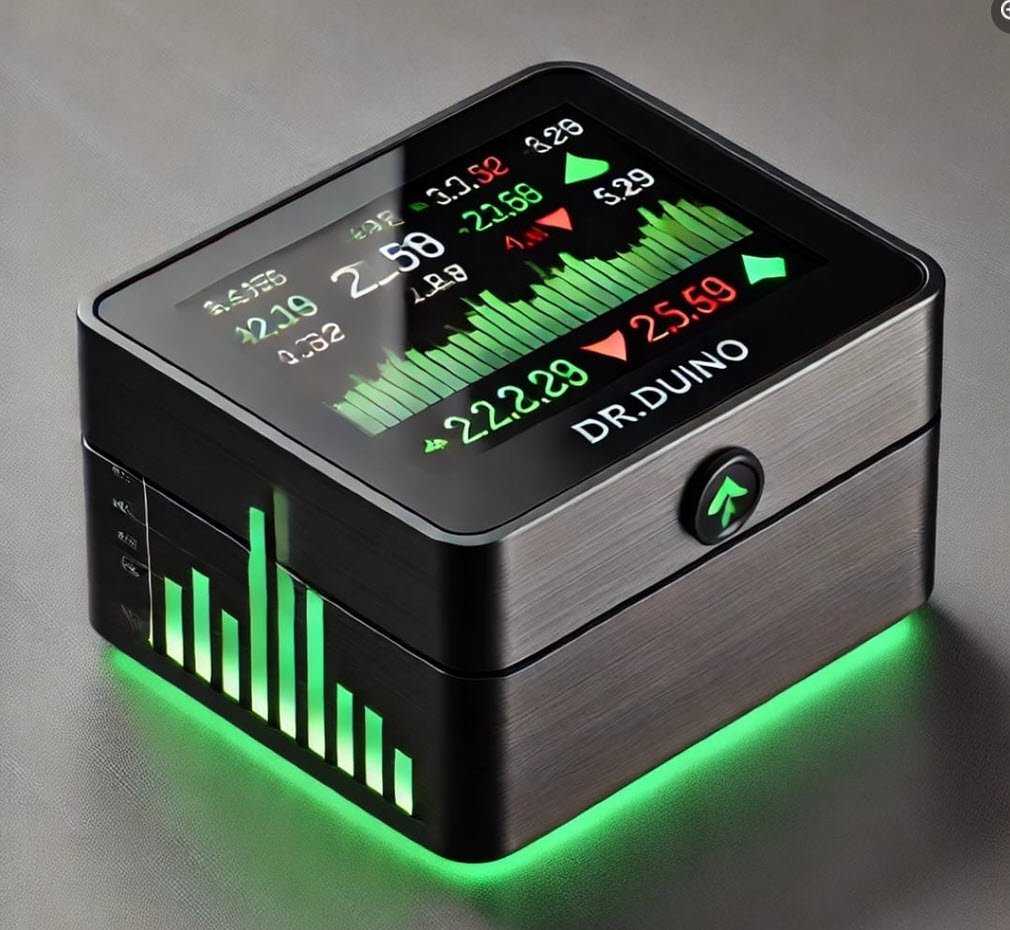
Imagine checking your favorite stocks — live —
on a screen sitting right on your desk.
No logging in. No bouncing between tabs. No distractions.
Meet Stock Bot — a fully customizable, ESP32-powered stock ticker that pulls live stock data and scrolls through your favorite tickers in real time.
And the best part?
You build it yourself.
No hardware experience required.
Why I Built It (And Why You’ll Want One)
Like most people, I’d check my stocks with apps, dashboards, and endless browser tabs.
It was messy. Distracting. And just annoying.
So I built something simpler. Something smarter.
Stock Bot is powered by an ESP32 microcontroller and a 4-inch TFT screen.
It connects to Wi-Fi, pulls real-time data from the Yahoo Finance API, and cycles through your favorite tickers — automatically.
No fluff. No bloat.
Just your data, always visible, without lifting a finger.
How It Actually Works
Let’s pull back the curtain. Here’s what’s going on under the hood:
The ESP32
This is the microcontroller that powers everything.
It’s cheap, fast, Wi-Fi-capable, and perfect for connected projects like this.
The 4″ TFT Display
A vibrant, full-color screen that shows the current price, stock symbol, and movement (up or down). You can format it to show as much or as little as you want.
The Yahoo Finance API
Yahoo offers a free way to fetch stock data via public API endpoints.
The ESP32 makes HTTP requests to Yahoo’s server and pulls back JSON data for each ticker. From that, it extracts:
The current price
The percentage change
Whether it’s up or down
And any other fields you want to display
A typical API response might look like this:
{
“AAPL”: {
“price”: 209.57,
“change”: -1.14,
“percent_change”: “-0.54%”,
“symbol”: “AAPL”
}
}
The ESP32 parses that response, formats it, and displays it on screen — updating every few seconds as it cycles through your list.
The Web App
Want to add or remove a ticker? You don’t need to touch the code.
We’ve included a simple local web interface hosted by the ESP32 itself.
Just open it in your browser while connected to the device and manage your ticker list in seconds.
What You’ll Learn
Even though it’s beginner-friendly, Stock Bot teaches you how to:
Set up and program an ESP32
Make HTTP GET requests to fetch live data
Parse JSON responses
Drive a full-color TFT display
Host a web interface from a microcontroller
Update the display automatically in timed intervals
Build a polished, purpose-built project from start to finish
You don’t need to write a single line of code — but the full source is included if you want to tinker.
Get It Inside Dr.Duino’s Premium Maker Academy
Stock Bot is available exclusively inside Dr.Duino’s Premium Maker Academy.
When you join, you’ll get access to:
The complete build guide
Fully written and editable code
The web app interface
STL files for 3D printing (optional case)
Step-by-step walkthroughs and support
If you’re an active Premium member, Stock Bot is already waiting for you in your dashboard.
No upgrades. No extra charges. Just log in and start building.
Final Thoughts
Stock Bot isn’t just a fun build — it’s a hands-on intro to connected electronics, live API integration, and real-time data display.
It looks great.
It’s satisfying to build.
And once it’s on your desk, you’ll wonder how you ever checked your stocks without it.
And it’s available as part of Dr.Duino’s Premium Maker Academy on August 11, 2025!
Not a Premium member yet?
You can join now and get instant access to Stock Bot and every other premium project inside Dr.Duino’s Maker Academy.